2d.io test page, 24 November 2026. Not linked from the site.
How long 2d.io takes
Five pictures were sent through 2d.io as a normal member, one after another, then two at the same time. Every time below is from the moment the member presses the button to the moment the model can be downloaded. Click any picture to see it large.
1. Picture to 3D object: five real member jobs
| Picture in | Model out (front, back) | In line | Picture | Load | Shape | Mesh | Formats, upload | Total | Triangles | GLB | Does it look right? |
|---|---|---|---|---|---|---|---|---|---|---|---|
 Toy robot | 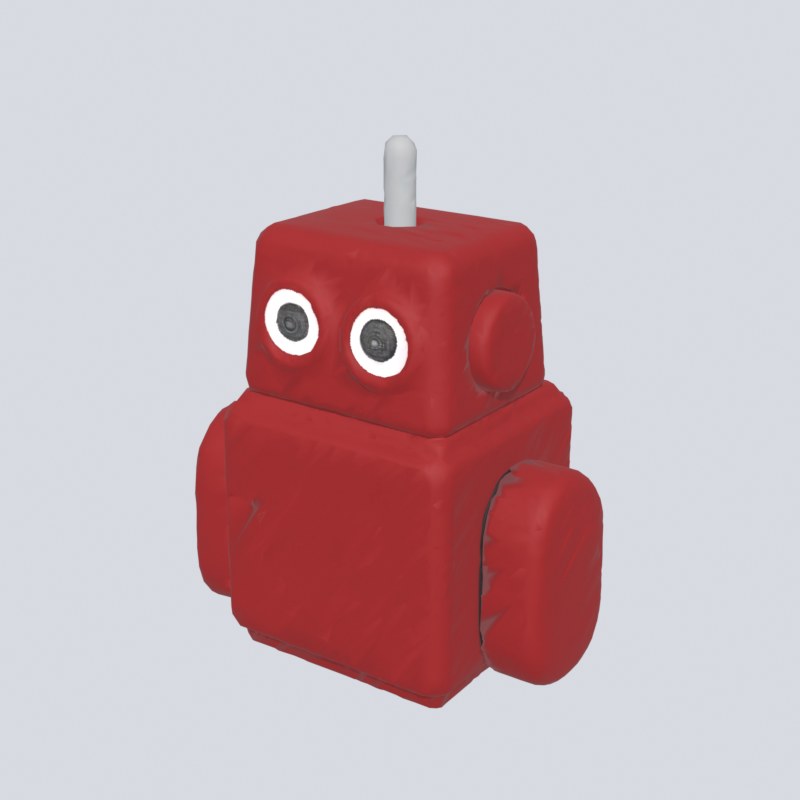 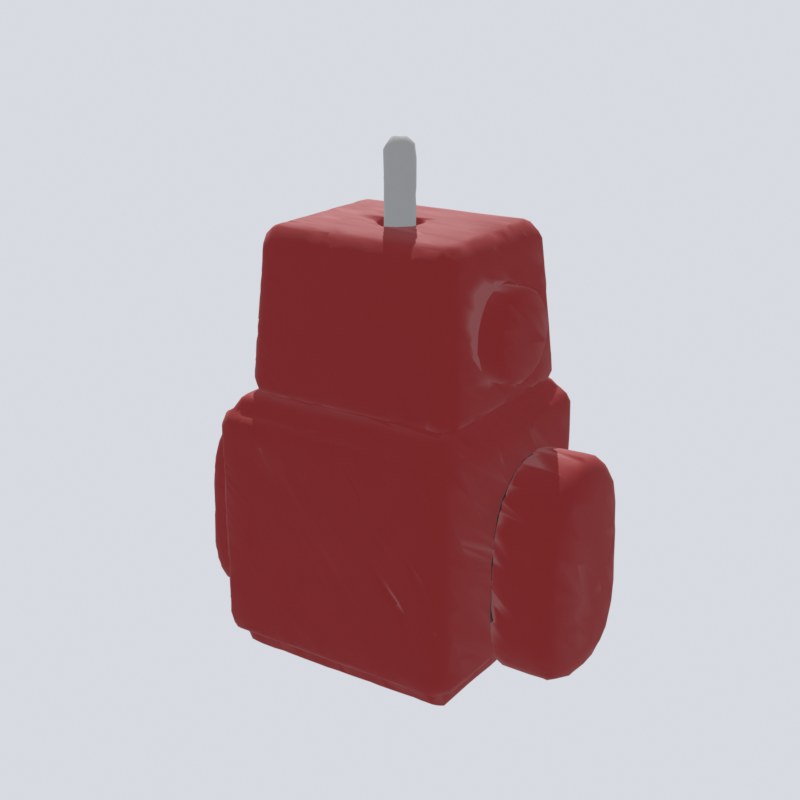 | 0:11 | 0:02 | 1:45 | 0:53 | 2:07 | 0:34 | 5:32 | 30,000 | 1.3 MB | Yes. Right shape, eyes and antenna. The red is a little duller than the picture. |
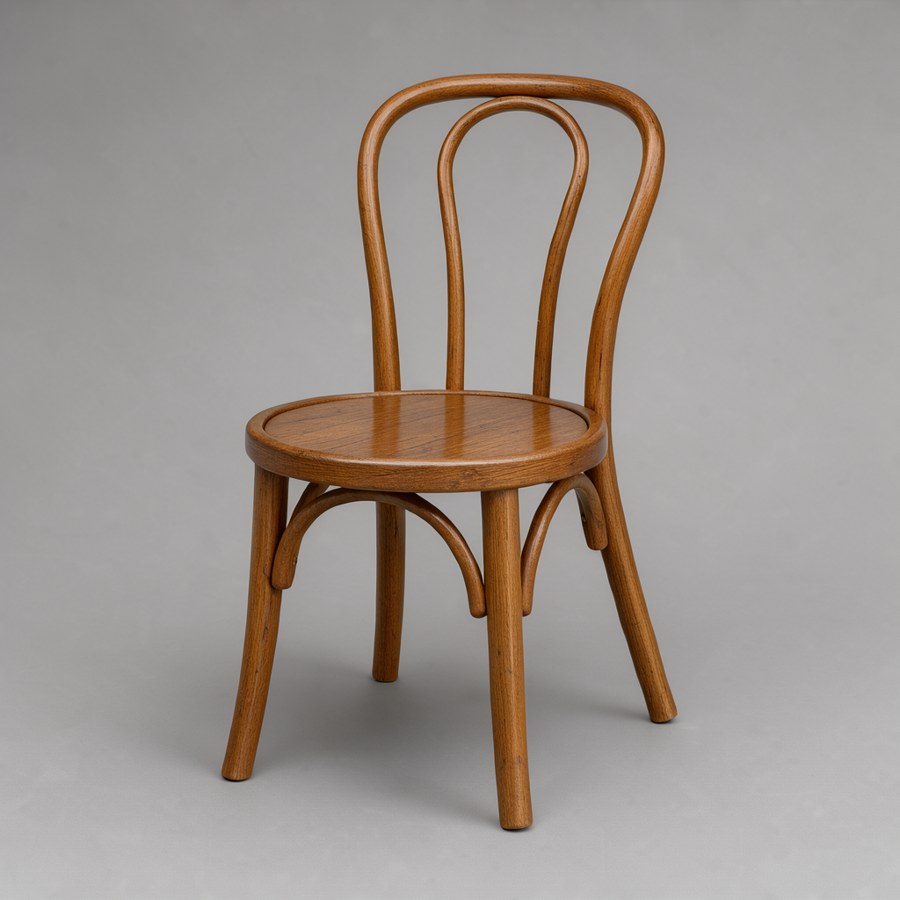 Chair | 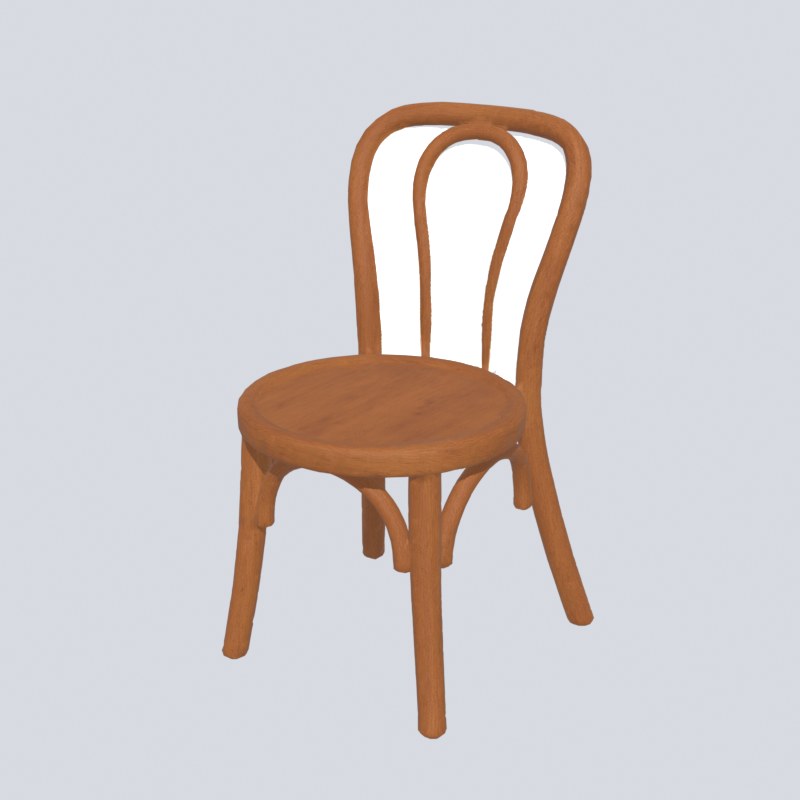 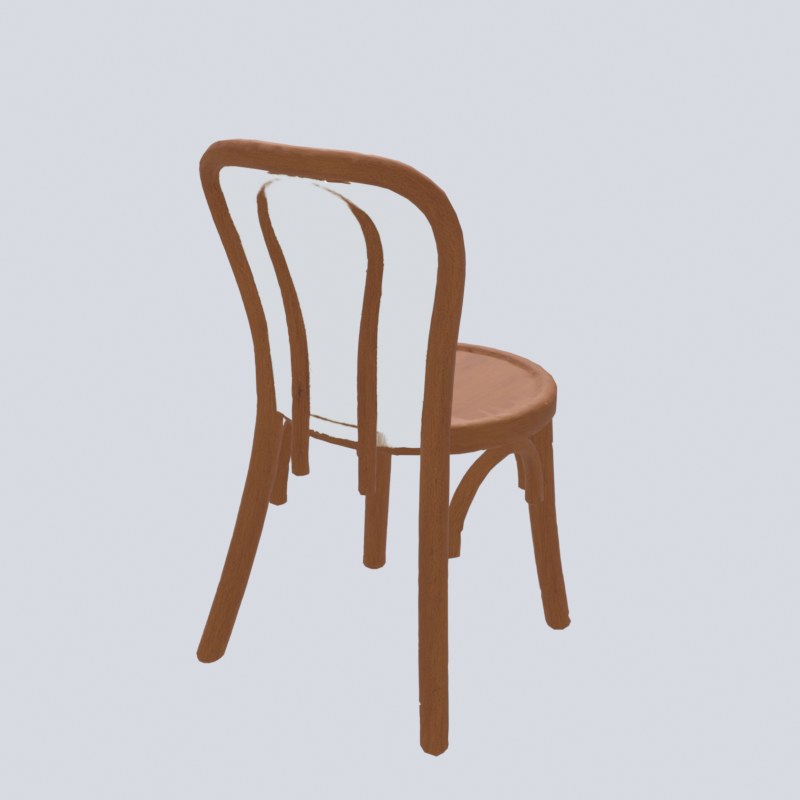 | 0:12 | 0:20 | 1:43 | 0:45 | 1:15 | 0:22 | 4:36 | 29,998 | 1.5 MB | Mostly. Right shape and legs, but the open hoop in the back is filled with a flat white panel. (The picture was redrawn first.) |
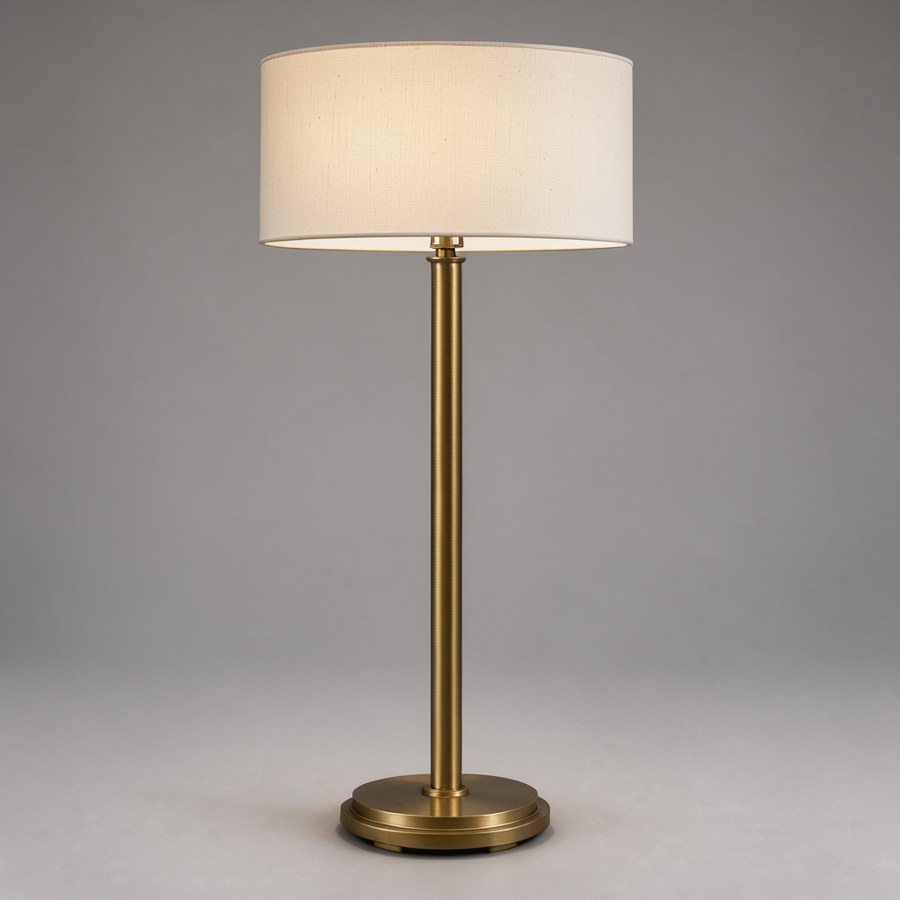 Floor lamp | 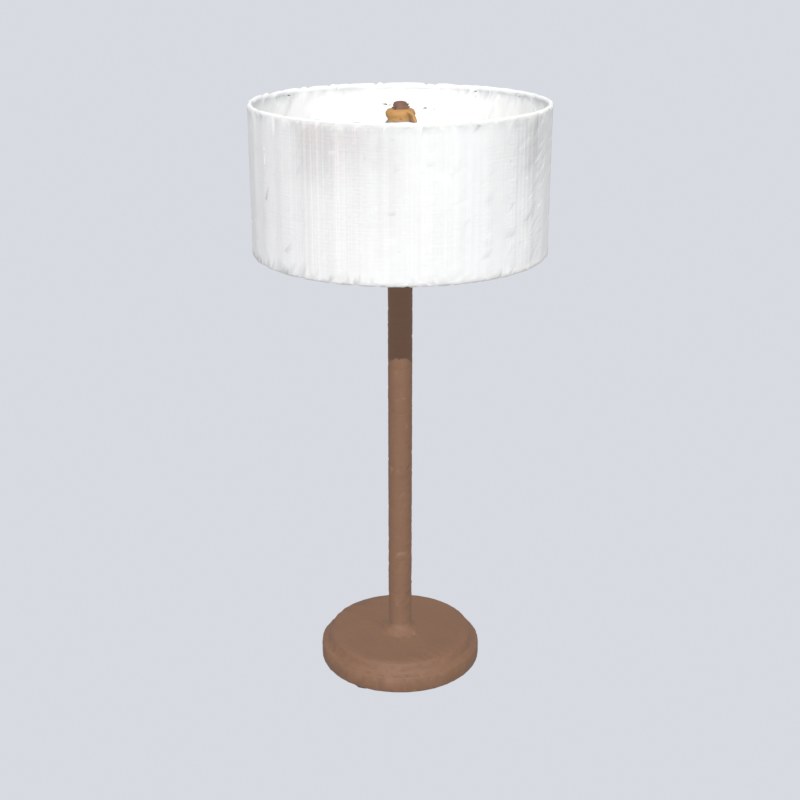 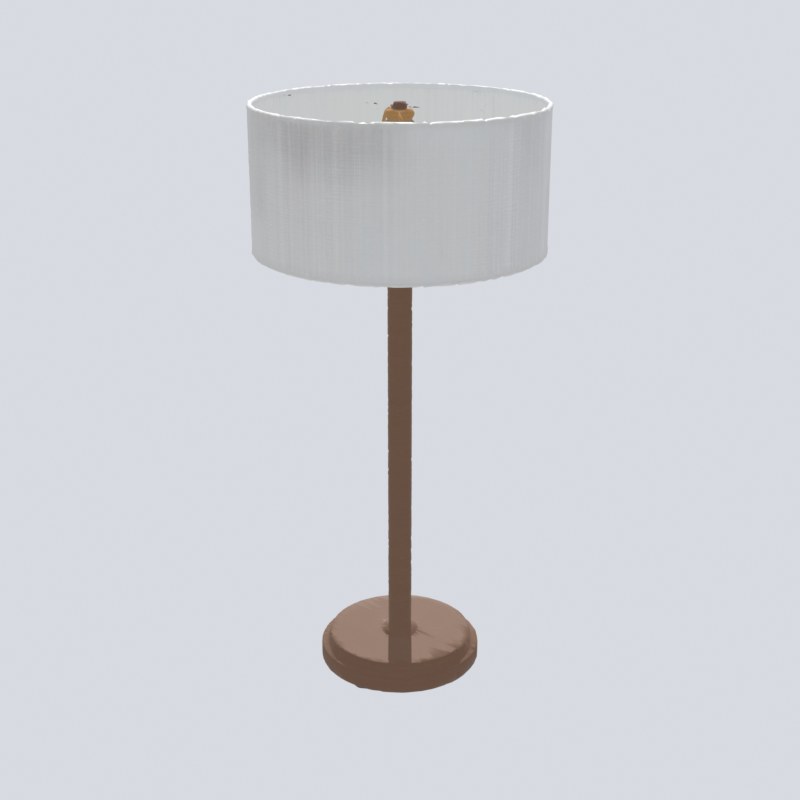 | 0:12 | 0:20 | 1:42 | 0:21 | 1:09 | 0:21 | 4:06 | 29,996 | 1.5 MB | Mostly. Right shape, but the shiny brass pole came out matt brown. (The picture was redrawn first.) |
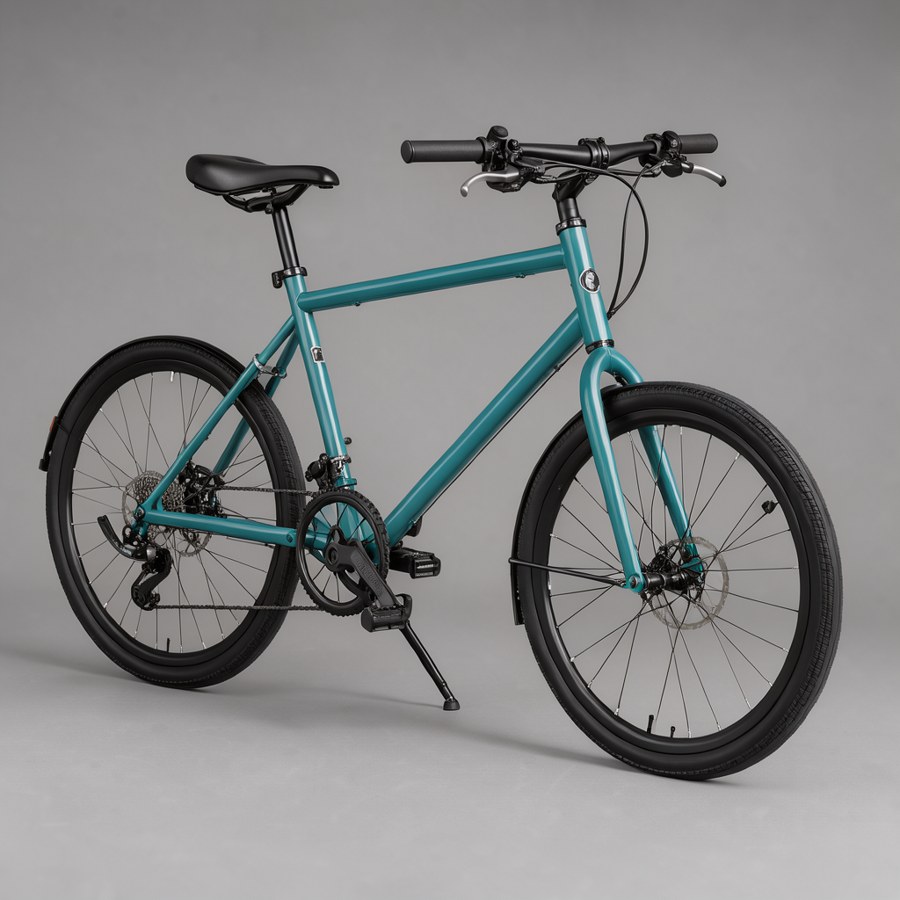 Bike | 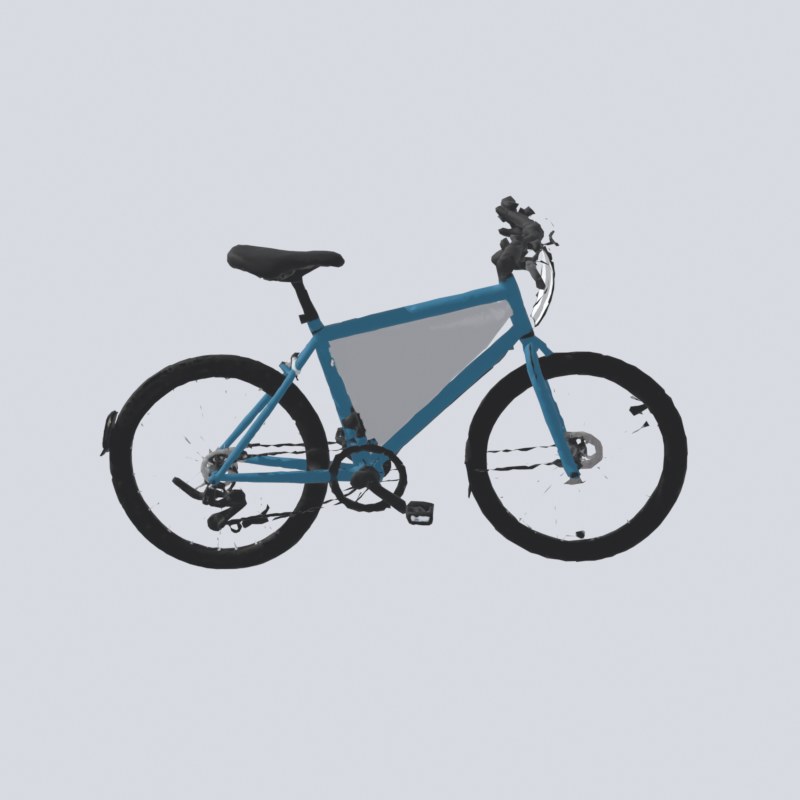 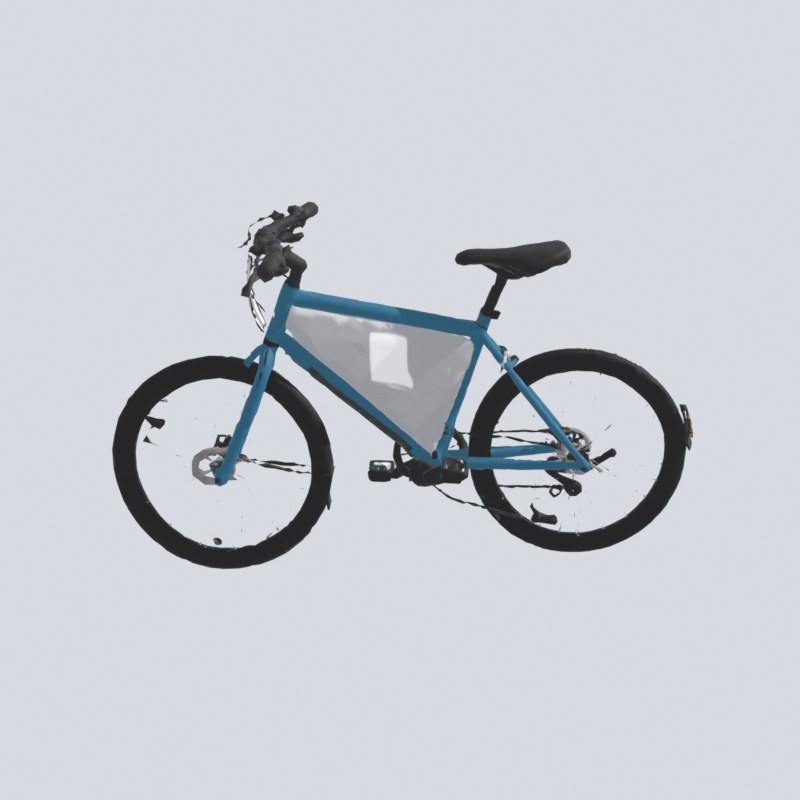 | 0:05 | 3:01 | 1:45 | 0:29 | 1:28 | 0:22 | 7:10 | 29,913 | 2.1 MB | Partly. Clearly the bike, but the open frame triangle is filled with a grey panel and most spokes are missing. (The picture was redrawn first.) |
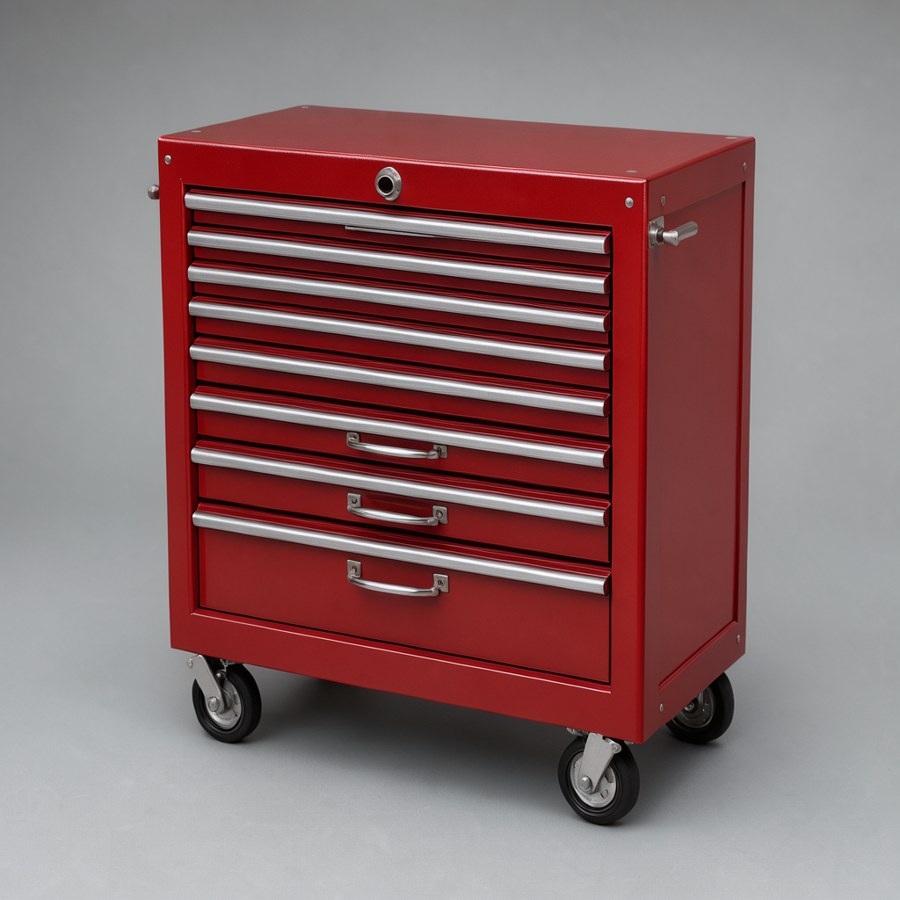 Toolbox | 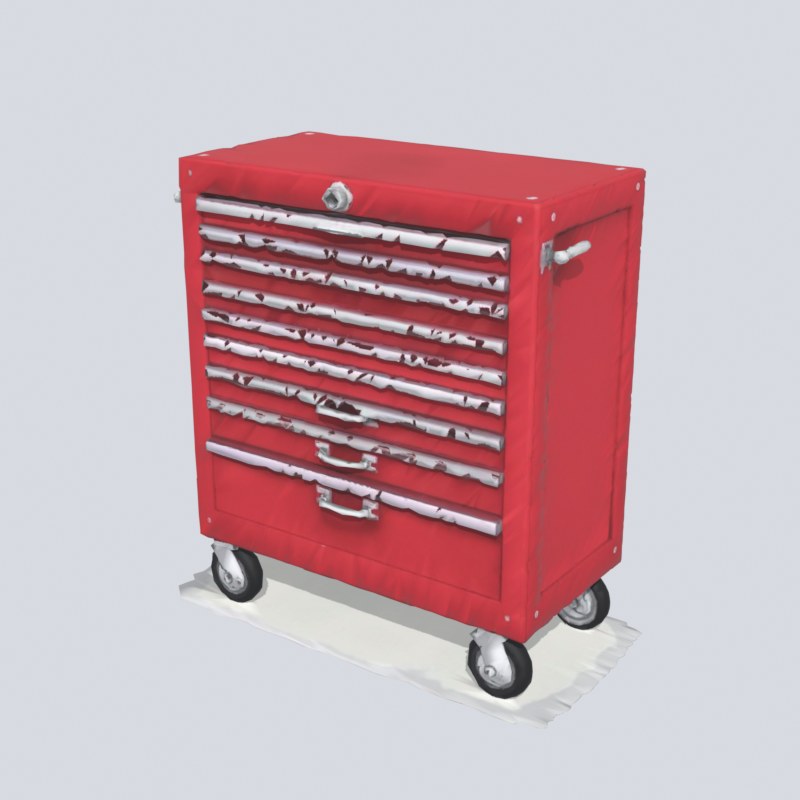 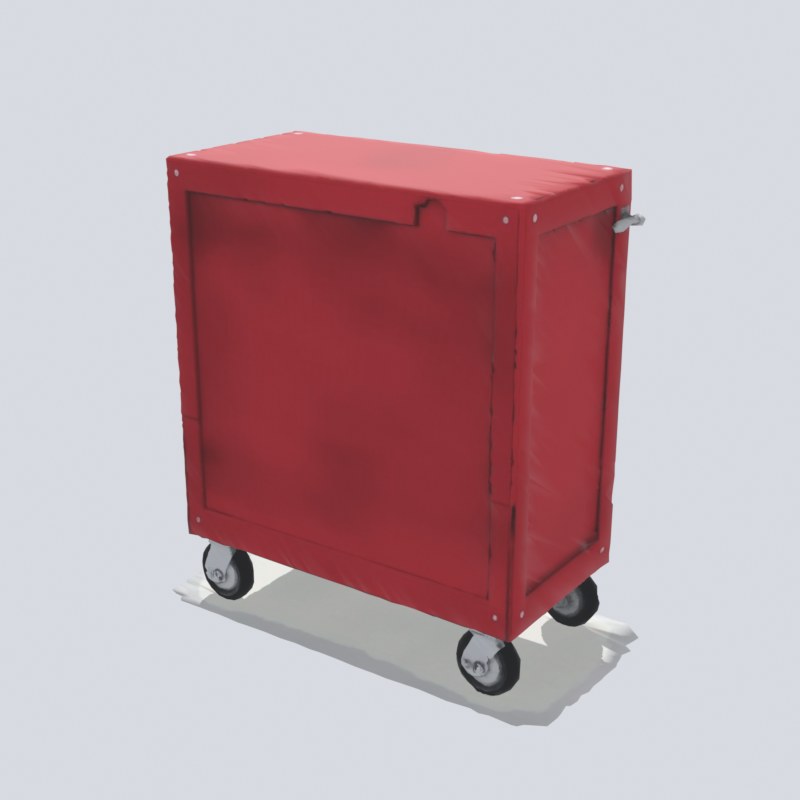 | 0:06 | 0:59 | 1:42 | 0:53 | 2:26 | 0:22 | 6:28 | 29,957 | 1.7 MB | Mostly. Right shape and colour; drawer fronts are ragged and the shadow under it became a white floor patch. (The picture was redrawn first.) |
| Average of the 5 | 0:09 | 0:56 | 1:44 | 0:40 | 1:41 | 0:24 | 5:34 | Range 4:06 to 7:10 | |||
| After the quicker mesh step went live (25 November, one real member job) | |||||||||||
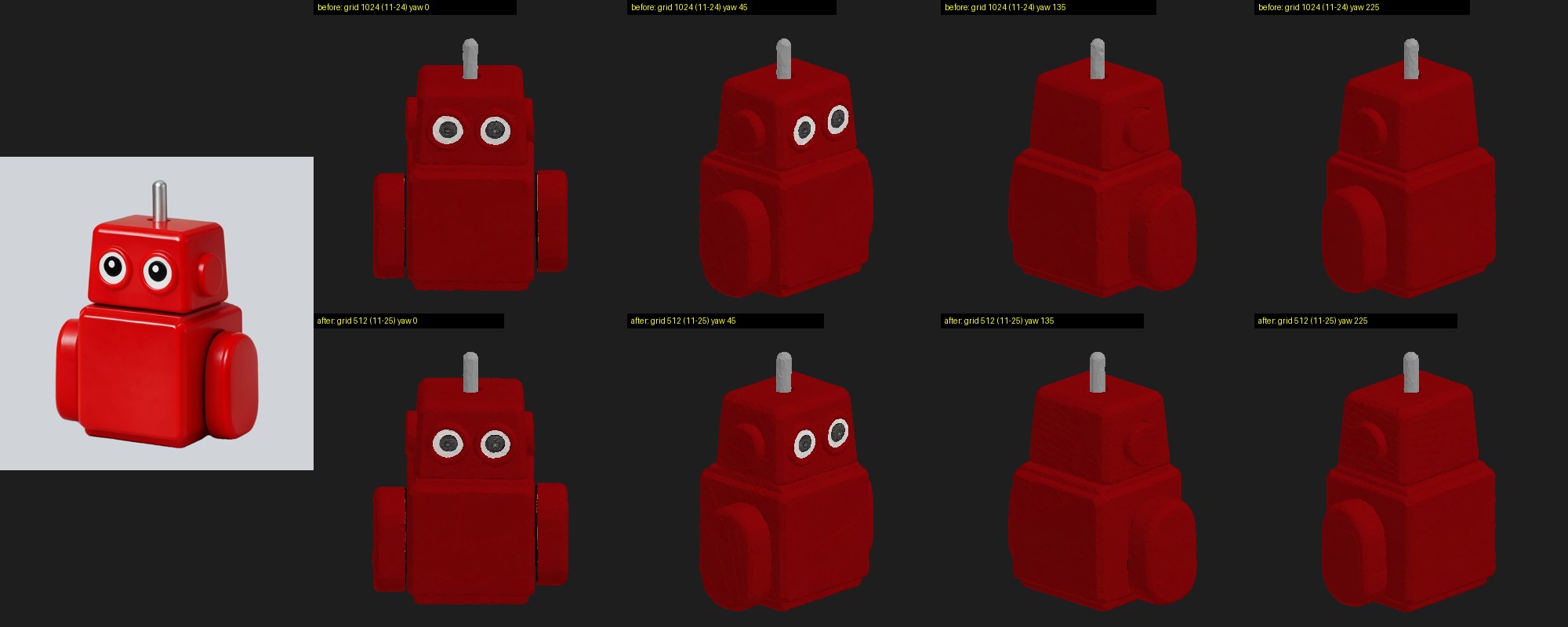
| Toy robot | 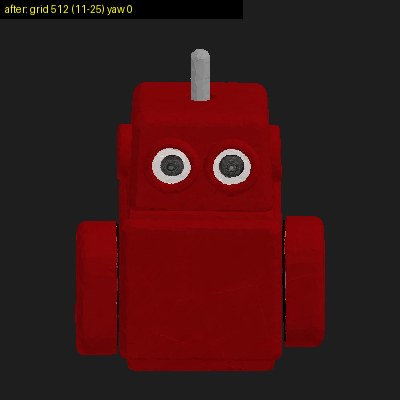 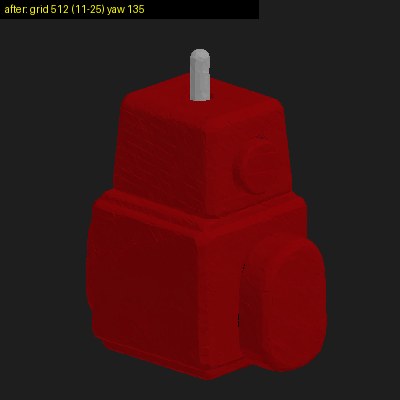 | 0:14 +4:15 | 0:02 | 1:26 | 0:49 | 0:41 | 0:27 | 3:42 7:57 seen | 29,988 | 1.4 MB | Yes. Looks the same as the 24 November model: right shape, eyes and antenna, same red. Edges a touch softer only when zoomed in. Mesh step 2:07 before, 0:41 now. This run also waited 4:15 in line because other work (AIMV) was using the graphics card, so the member saw 7:57; 3:42 is the time without that wait. |
The quicker mesh step, live since 25 November
2d.io jobs now clean the mesh on the 512 grid instead of 1024 (the worker passes --remesh 512 to the shared exporter; other users of that exporter still get 1024). Loading the model fresh for every job is unchanged. Top row: the toy robot made on 24 November with the old setting; bottom row: the same picture through 2d.io on 25 November with the new setting.
Times are minutes:seconds. "Load" includes two short checks that the graphics card is free. "Total" is what the member saw; the parts are from the worker's own log and add up to a few seconds less.
Where the time goes (average)
Two sent at the same time
| Model | Waited in line | Being made | Total | |
|---|---|---|---|---|
| Toy robot | 0:05 | 5:09 | 5:13 | Started at once. |
| Chair | 5:08 | 4:04 | 9:12 | Waited for the first one to finish, then took the normal time. |
The worker makes one model at a time. The first of the two took its normal time (5:13). The second waited 5:08 for it and then took 4:04, so 9:12 in all. Each extra person in line adds about five and a half minutes. The page did show "1 ahead of you" while it waited.
2. Can it be faster? Same pictures, three settings
Nothing live was changed. The same five cut-out pictures were run by hand on the same machine with the model loaded once for all five. "Quicker mesh step" keeps today's model and cleans the mesh on a coarser grid. "Fast model" also uses the smaller model setting. Shape + mesh are the two big steps; loading is separate.
| Picture | Today's setting (live result) | Quicker mesh step | Fast model + quicker mesh |
|---|---|---|---|
Toy robot | Today's setting shape 0:53 + mesh 2:07 = 3:00 30,000 triangles, 1.3 MB Yes. Right shape, eyes and antenna. The red is a little duller than the picture. | 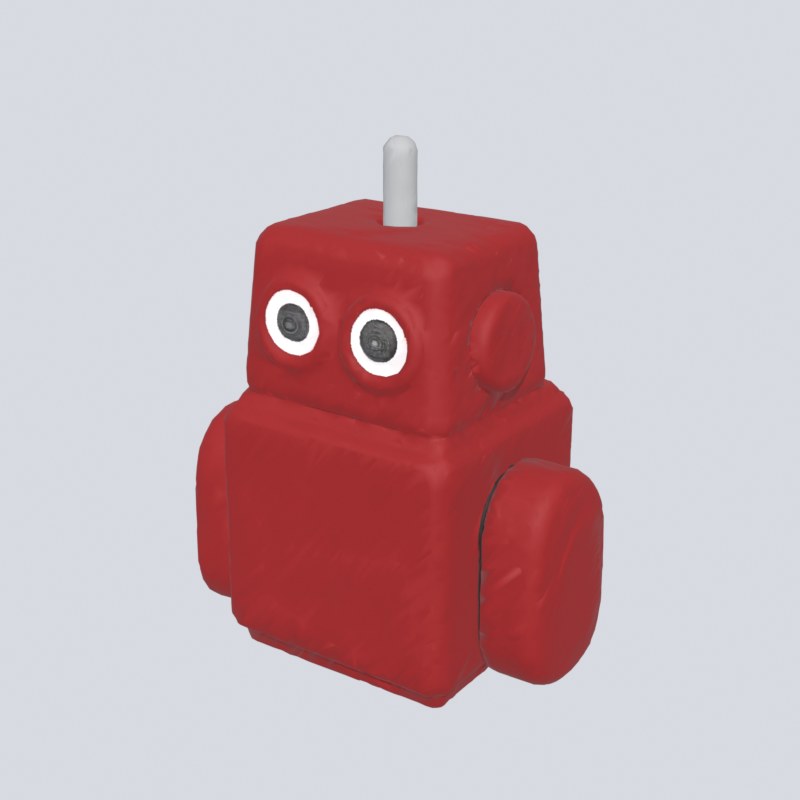 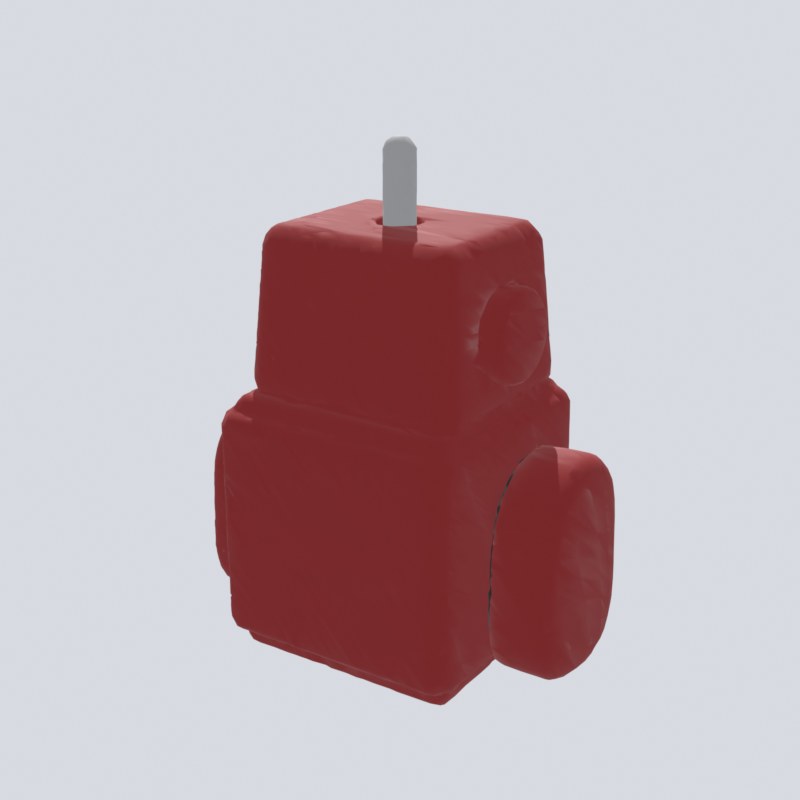 Quicker mesh step shape 0:36 + mesh 0:40 = 1:16 29,988 triangles, 1.4 MB Looks the same as today's. | 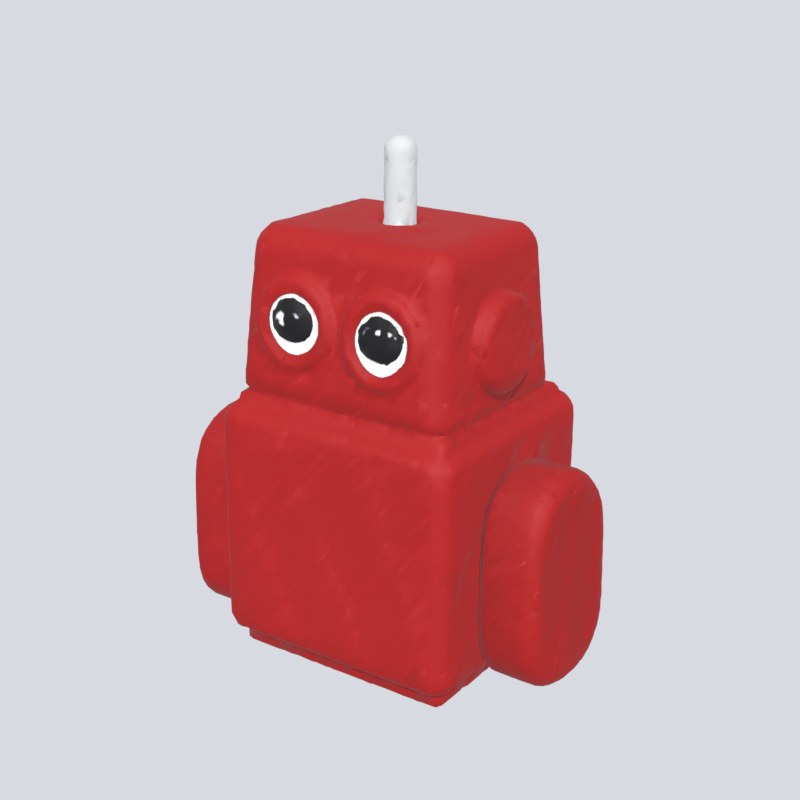 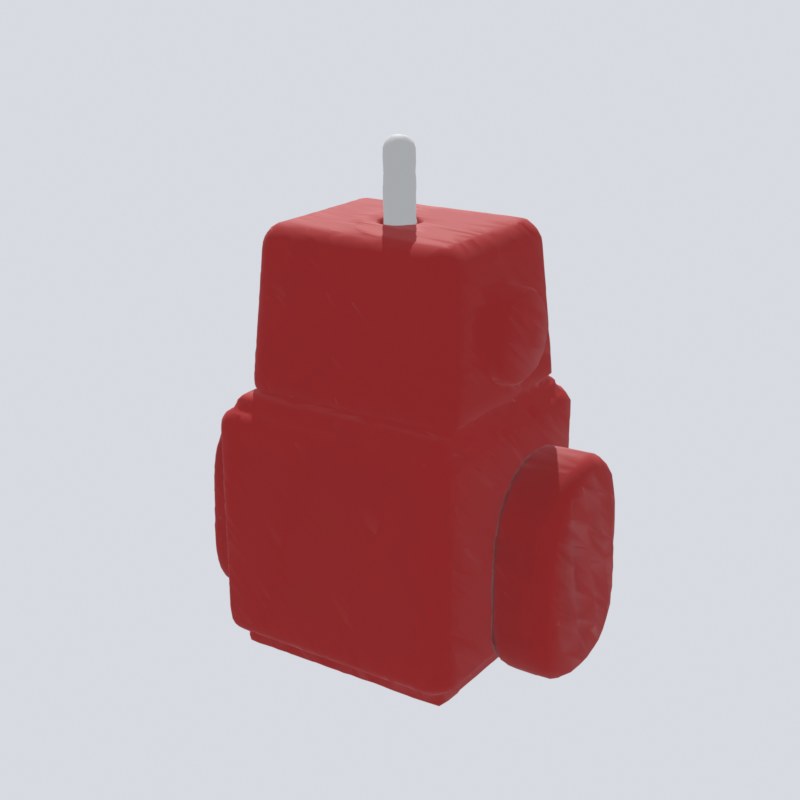 Fast model + quicker mesh shape 0:10 + mesh 0:22 = 0:32 29,990 triangles, 1.2 MB Same shape. Brighter red, closer to the picture. |
Chair | Today's setting shape 0:45 + mesh 1:15 = 2:00 29,998 triangles, 1.5 MB Mostly. Right shape and legs, but the open hoop in the back is filled with a flat white panel. (The picture was redrawn first.) | 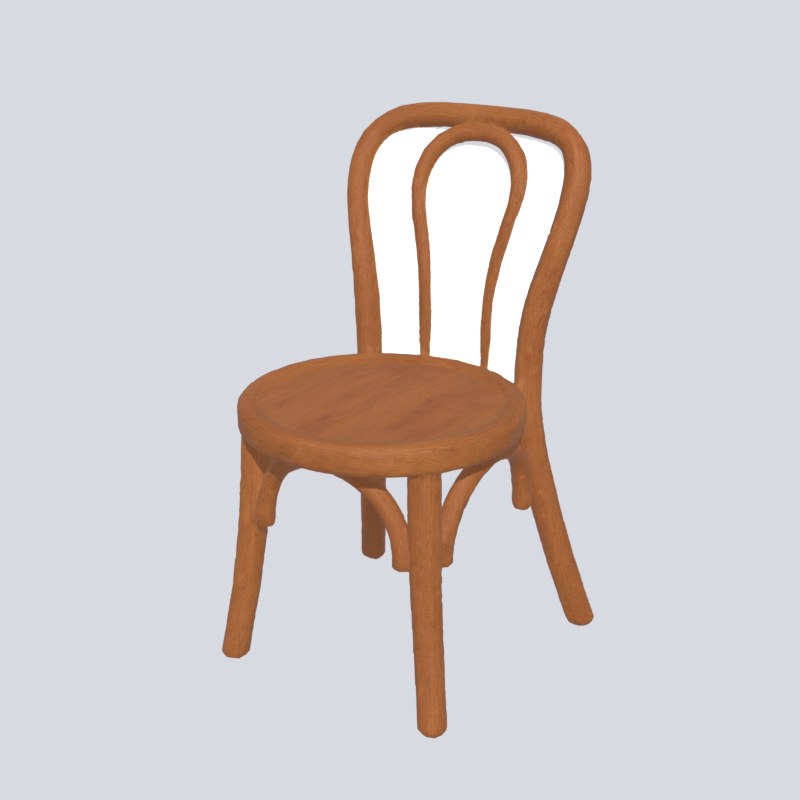 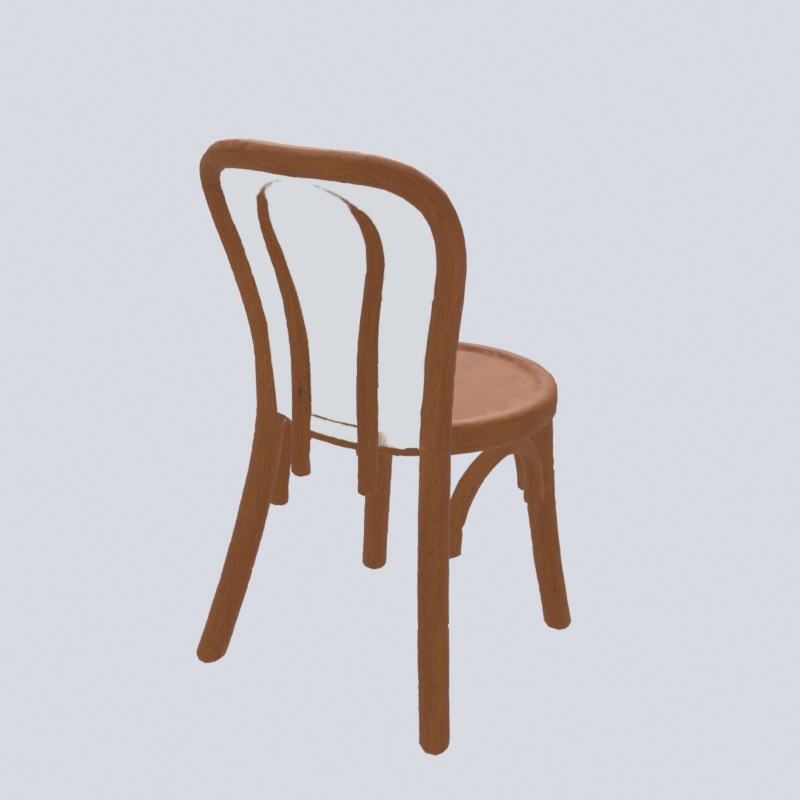 Quicker mesh step shape 0:16 + mesh 0:25 = 0:41 30,000 triangles, 1.5 MB Looks the same as today's (same filled hoop). | 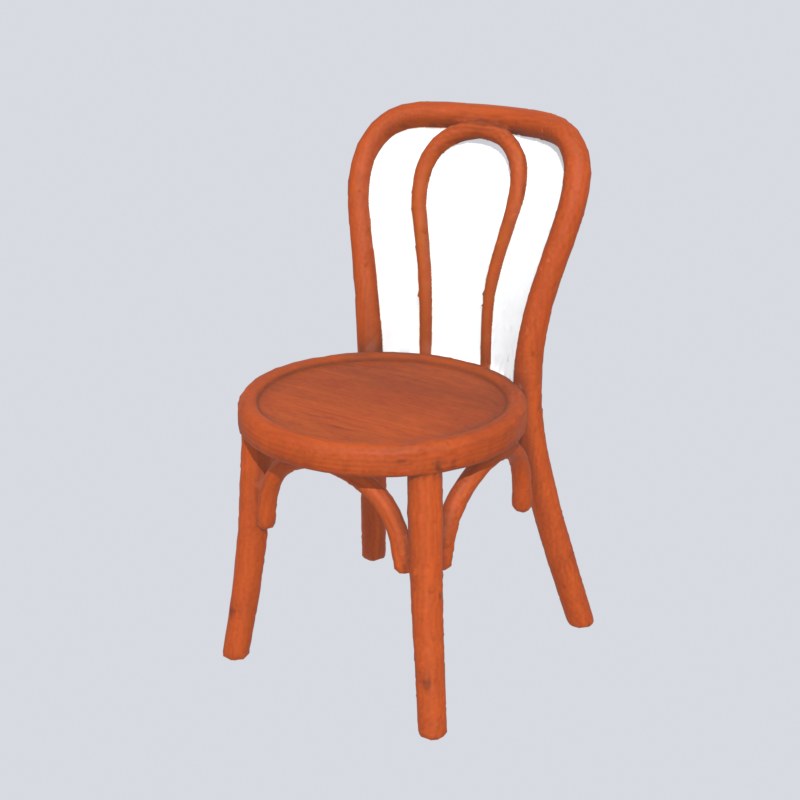 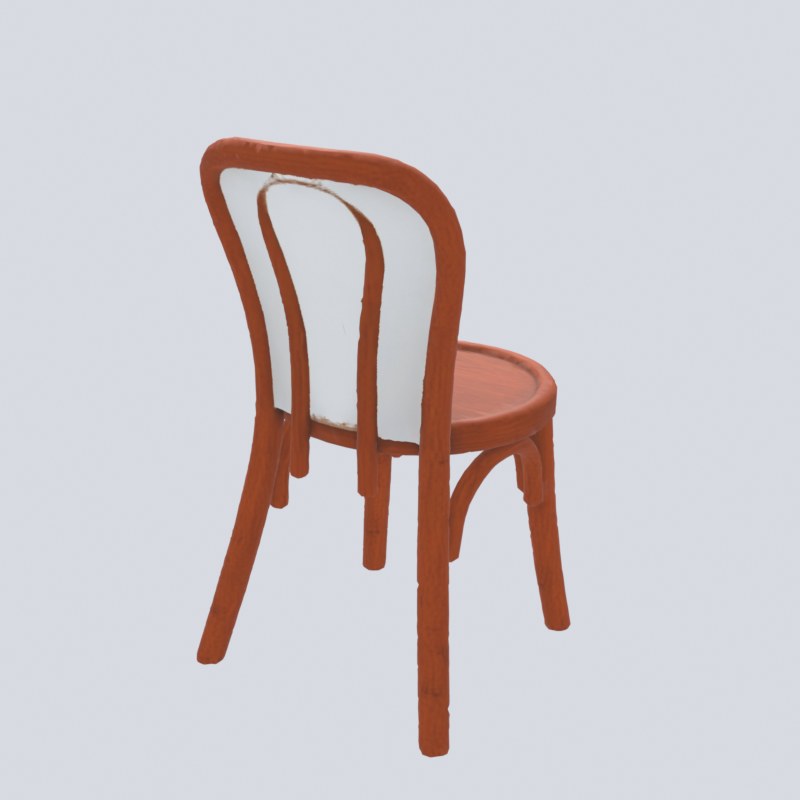 Fast model + quicker mesh shape 0:06 + mesh 0:18 = 0:24 29,998 triangles, 1.6 MB Same shape. The wood turned orange-red. |
Floor lamp | Today's setting shape 0:21 + mesh 1:09 = 1:30 29,996 triangles, 1.5 MB Mostly. Right shape, but the shiny brass pole came out matt brown. (The picture was redrawn first.) | 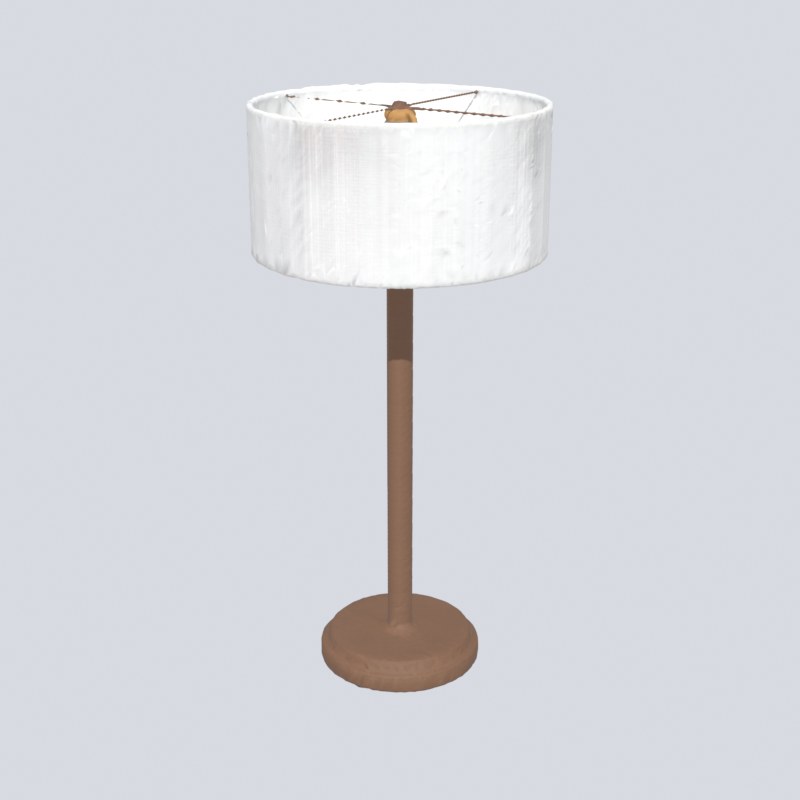 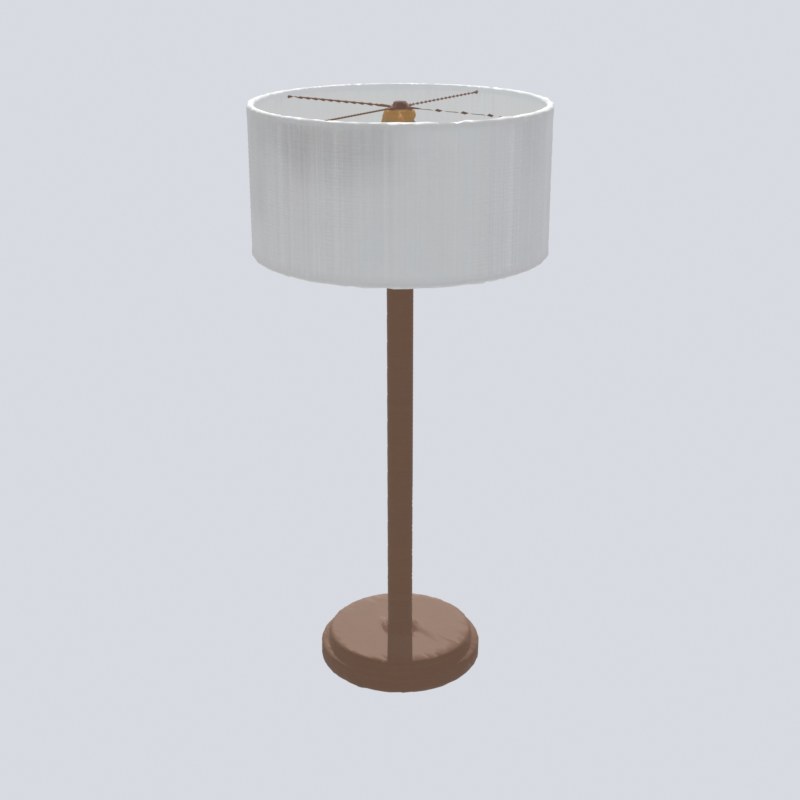 Quicker mesh step shape 0:12 + mesh 0:21 = 0:33 29,998 triangles, 1.5 MB Looks the same as today's. | 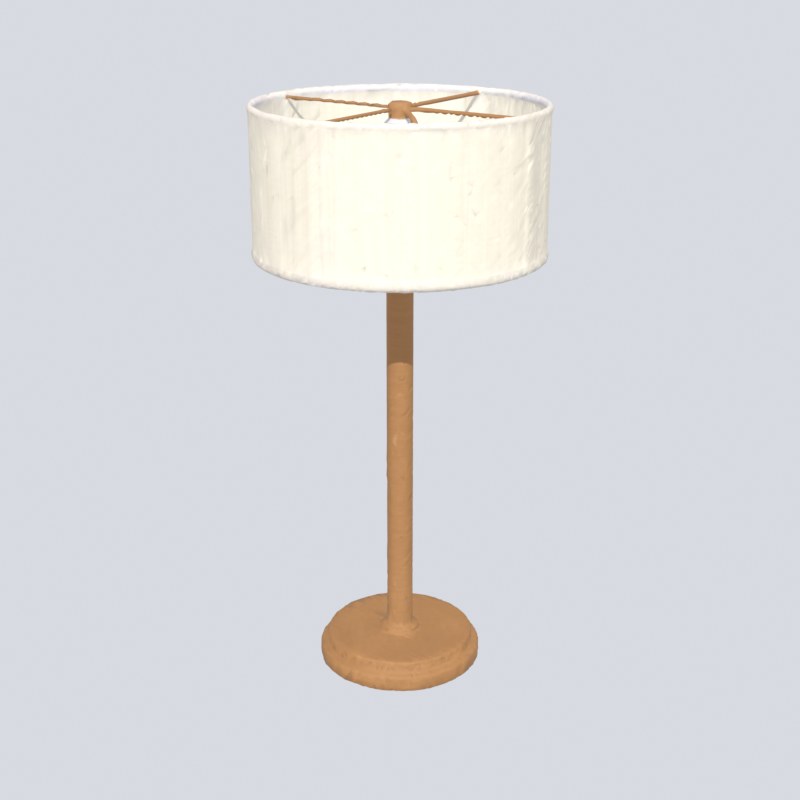 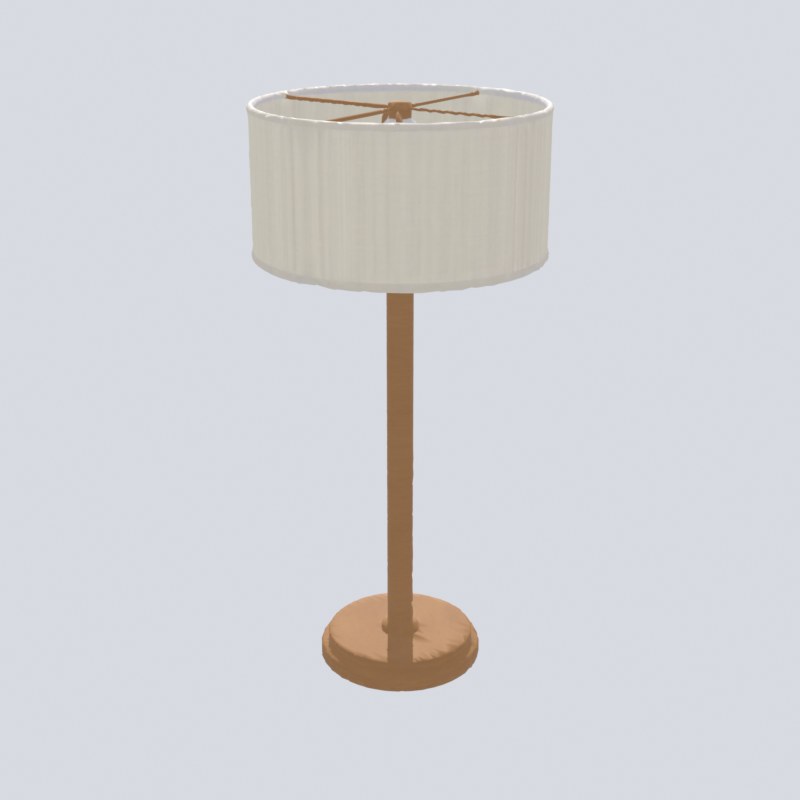 Fast model + quicker mesh shape 0:06 + mesh 0:14 = 0:20 30,000 triangles, 1.4 MB Same shape. Warmer shade, lighter pole. |
Bike | Today's setting shape 0:29 + mesh 1:28 = 1:56 29,913 triangles, 2.1 MB Partly. Clearly the bike, but the open frame triangle is filled with a grey panel and most spokes are missing. (The picture was redrawn first.) | 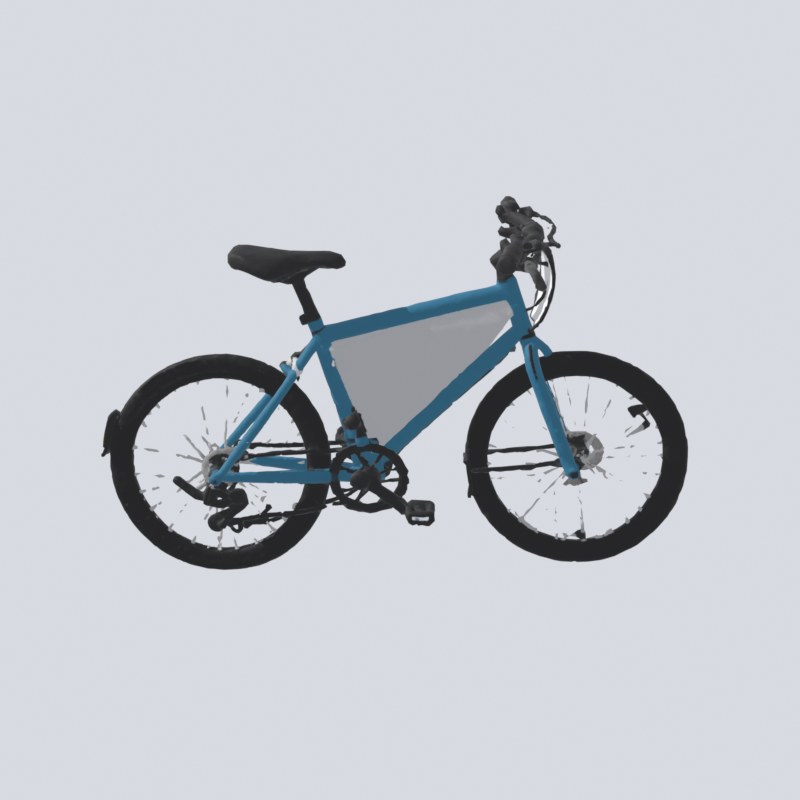 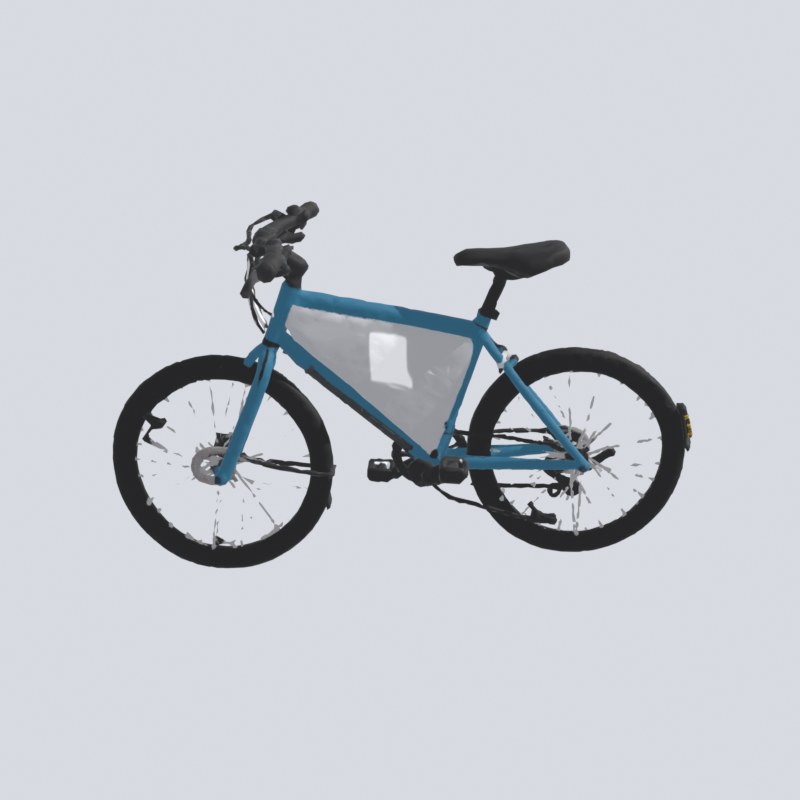 Quicker mesh step shape 0:16 + mesh 0:32 = 0:49 29,990 triangles, 2.0 MB Looks the same as today's (same grey panel). | 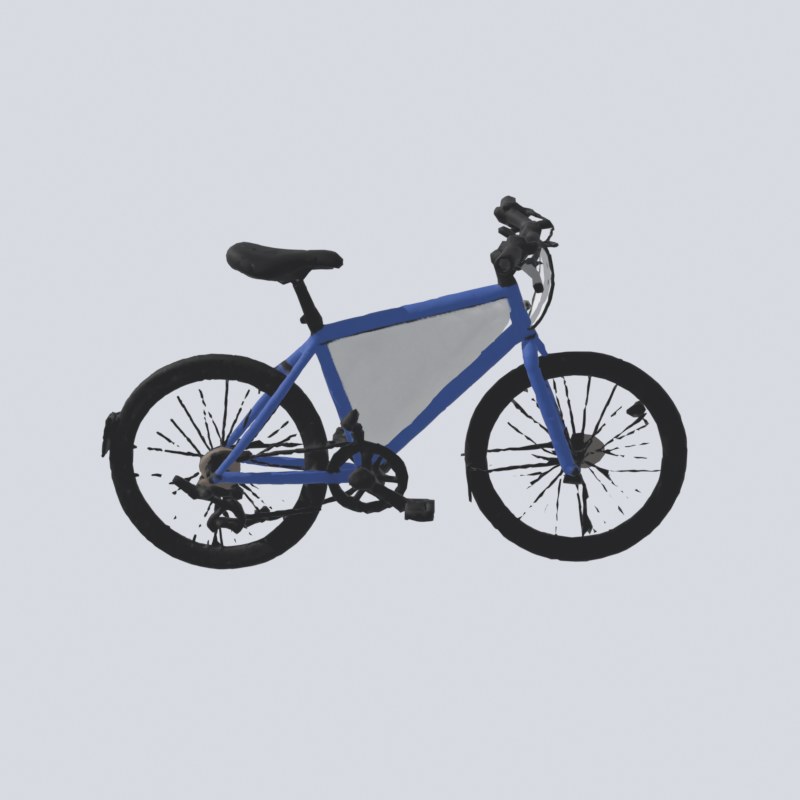 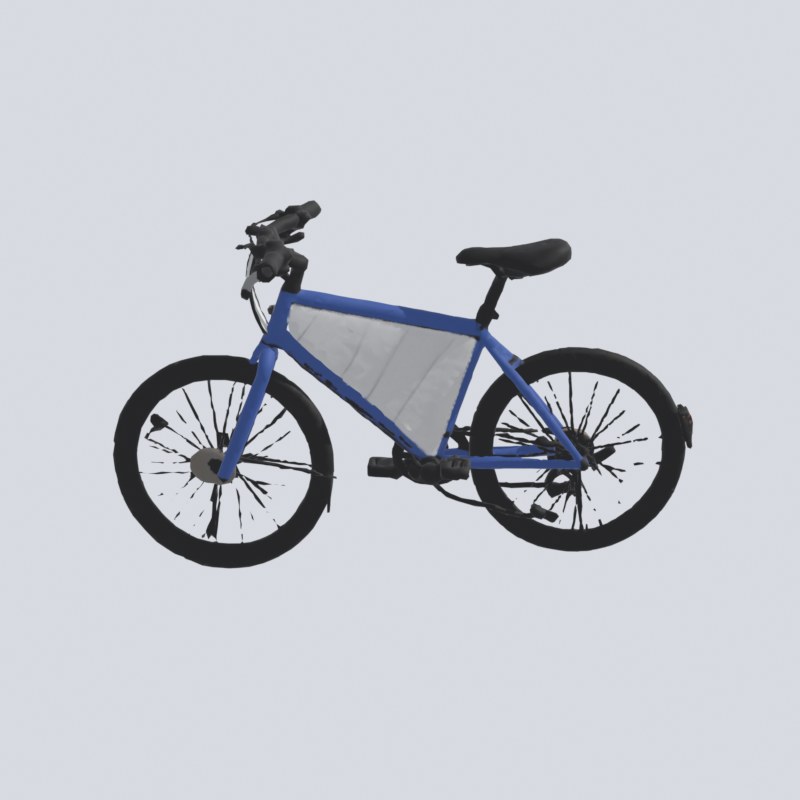 Fast model + quicker mesh shape 0:07 + mesh 0:18 = 0:25 29,998 triangles, 1.9 MB Same shape, more spokes. The teal frame turned blue. |
Toolbox | Today's setting shape 0:53 + mesh 2:26 = 3:19 29,957 triangles, 1.7 MB Mostly. Right shape and colour; drawer fronts are ragged and the shadow under it became a white floor patch. (The picture was redrawn first.) | 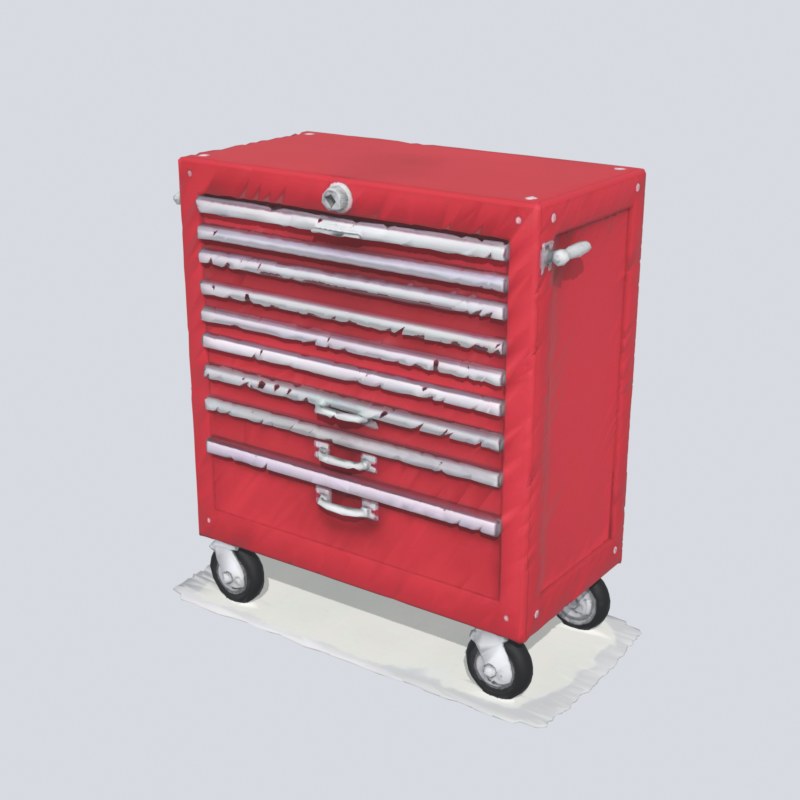 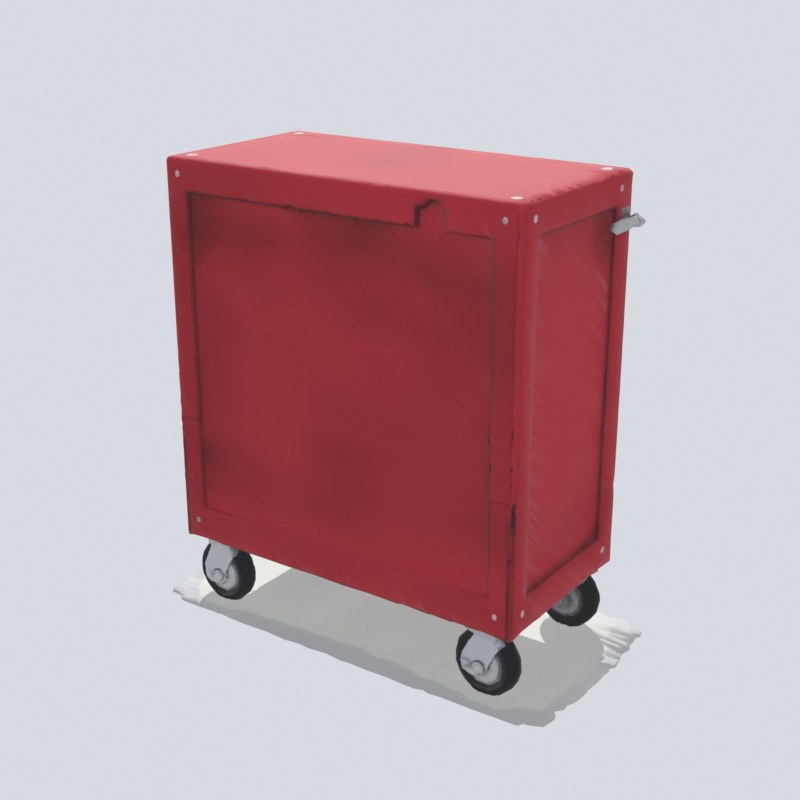 Quicker mesh step shape 0:45 + mesh 0:57 = 1:41 29,998 triangles, 1.6 MB Same shape; the drawer fronts came out cleaner. | 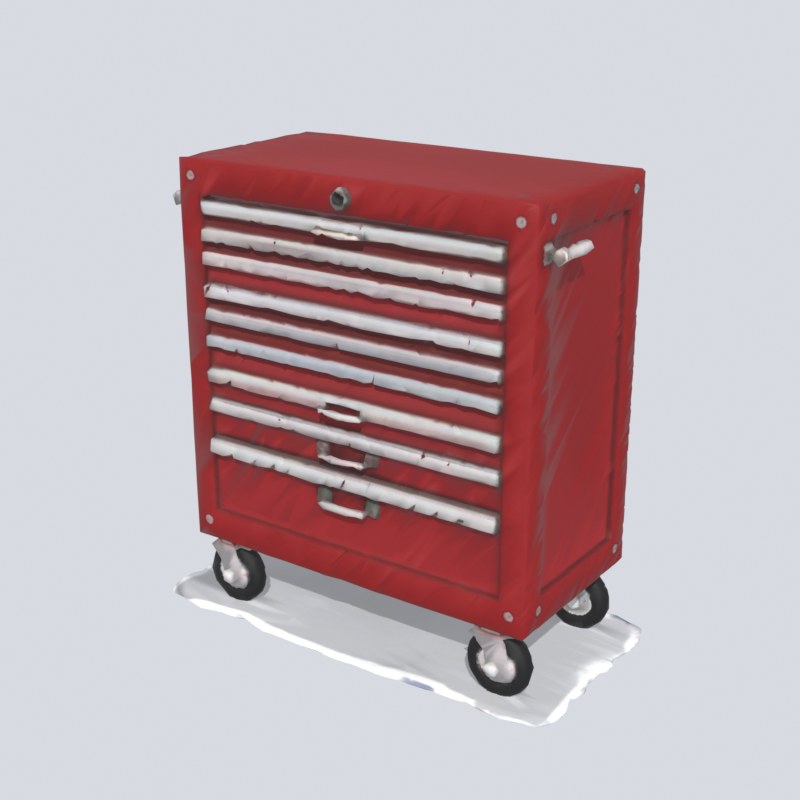 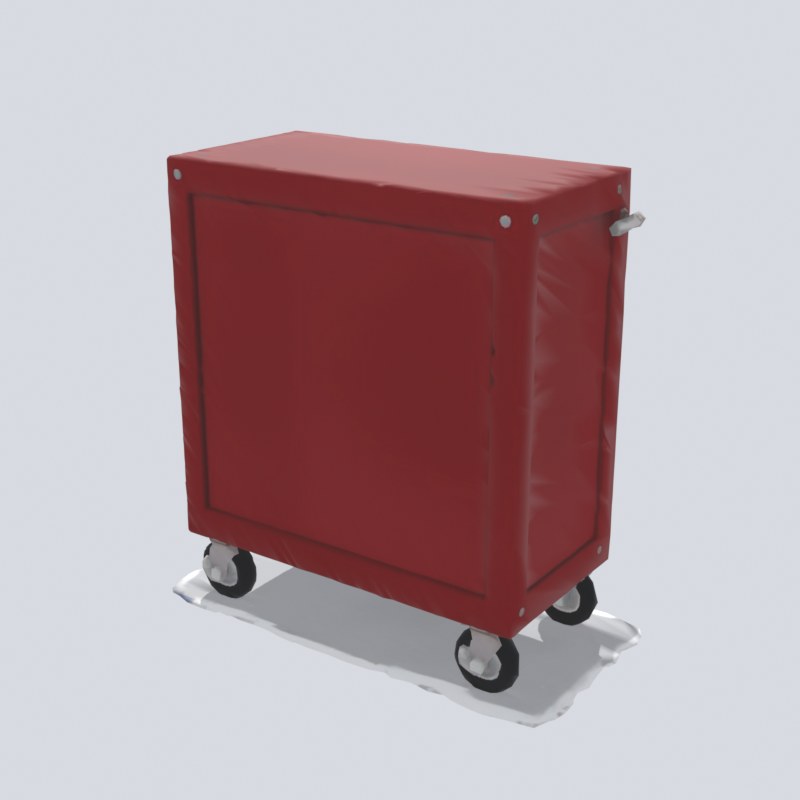 Fast model + quicker mesh shape 0:09 + mesh 0:36 = 0:45 30,000 triangles, 1.6 MB Same shape, clean drawers. Darker red. |
| Average shape + mesh | shape 0:40 + mesh 1:41 = 2:21 | shape 0:25 + mesh 0:35 = 1:00 | shape 0:08 + mesh 0:22 = 0:29 |
Speed-ups, with what each would save
| Change | What it does | Saves per model | Cost or risk |
|---|---|---|---|
| Keep the model loaded between jobs | Today every job loads the model again (1:13) and the first shape after a load is slower. | about 1:25 | Holds 10 to 12 GB of the RTX 5090 that also makes AIMV videos. Safer: stay loaded for a few minutes after a job, then let go. Needs a change to the 2d worker and a restart of that worker only. |
| Quicker mesh step | Cleans the mesh on a coarser grid (512 instead of 1024). Tested: mesh step 1:41 down to 0:35. | about 1:05 | No loss seen on the 5 test objects (the toolbox came out cleaner). Very thin parts on other objects could suffer. One setting in the worker. |
| Skip the redraw when the picture is already one clean object | 4 of the 5 test pictures were redrawn first although they were plain product shots. The redraw also waits whenever the card is busy. | 0:20, up to 3:00 when busy | Busy photos still need the redraw. The check that decides is too strict for soft grey backgrounds. |
| Fast model setting, as a "Fast" choice | Smaller model setting. Tested with the model loaded: shape 0:25 down to 0:08, mesh 0:35 down to 0:22. | about 0:30 more | Shape held on all 5. Colours drift: the teal bike turned blue, the chair orange-red. Uses 3 to 8 GB, so smaller cards could run it. Good for rooms and drafts. |
| Fewer card-is-free checks | Each job checks three times that the card is idle, about 10 s each. | about 0:20 | Keep the first check so AIMV work still goes first. |
| Make OBJ and STL only when asked | Today both are made and uploaded for every model (3 to 6 MB more). | about 0:05 to 0:10 (estimate) | The download buttons would need a short wait the first time. |
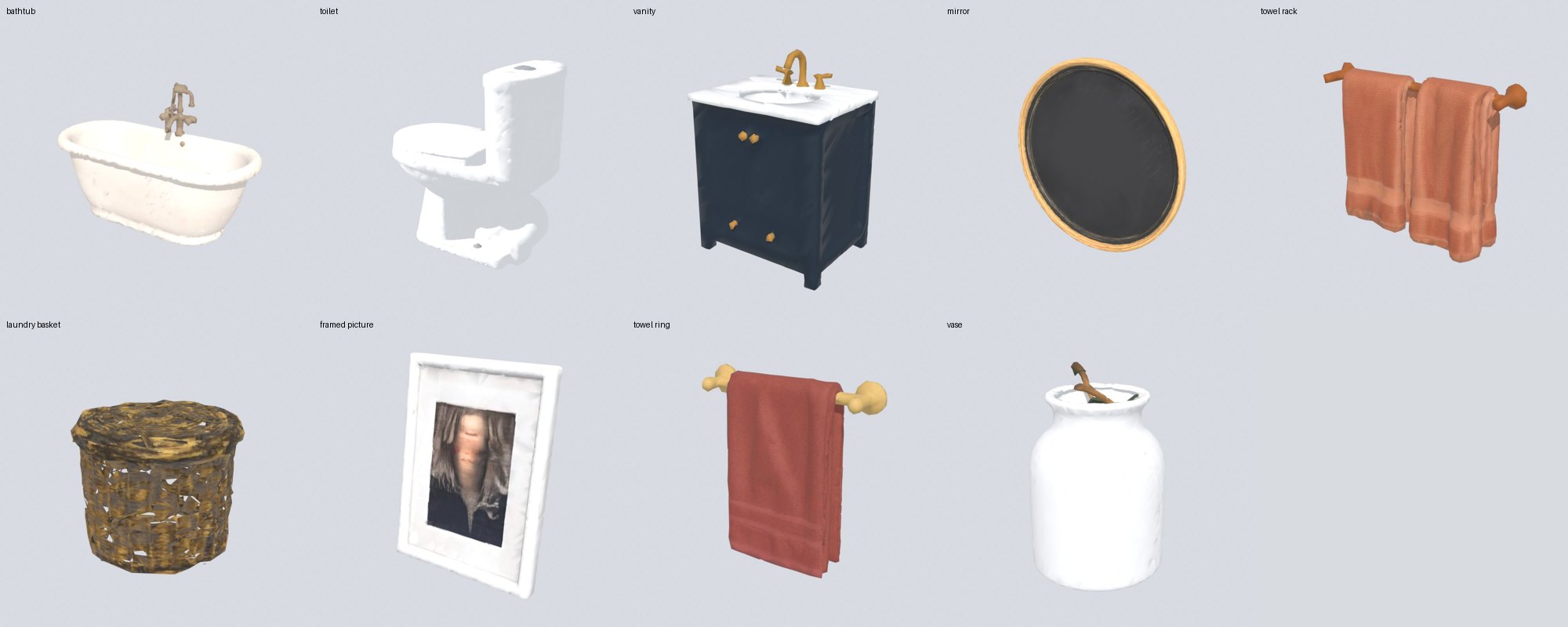
| Rooms: one batch, model loaded once, fast setting | Tested today on the same 21 object pictures. Living room: 12 models in about 10 minutes instead of 43 (+10 for second models). Bathroom: 9 models in about 9 minutes instead of 40 (+13). | about 40 to 45 min a room | Bathroom: the wicker basket came out ragged and the glass vase came out as a white jar. Living room: all 12 looked usable from the front, also the 3 that melted on 11-20. |
| Rooms: clean several meshes at once | The mesh step uses the processor, not the graphics card. Two or three could run side by side while the card makes the next shape. | about half of the mesh time (estimate) | Not tested. |
| Rooms: spread the objects over several graphics cards | At the fast setting a shape takes about 10 s, so the card is no longer what slows a room down. | small (estimate) | Not tested. The model is installed on one PC only. Not worth doing before the rows above. |
3. House Rooms: a living room and a bathroom
The living room and bathroom on 2d.io/rooms were built on 20 November. The worker PC kept a log of every object, so the times below are real times from that day, not guesses. Today the same object pictures were also run with the fast setting. Making a room is not one button yet: the machine steps are scripts, the steps between them were done by hand. All three rooms together took 3 hours 47 minutes from the first picture to the finished rooms, hand work included.
Living room: 15 separate objects (12 models made, 3 made twice)
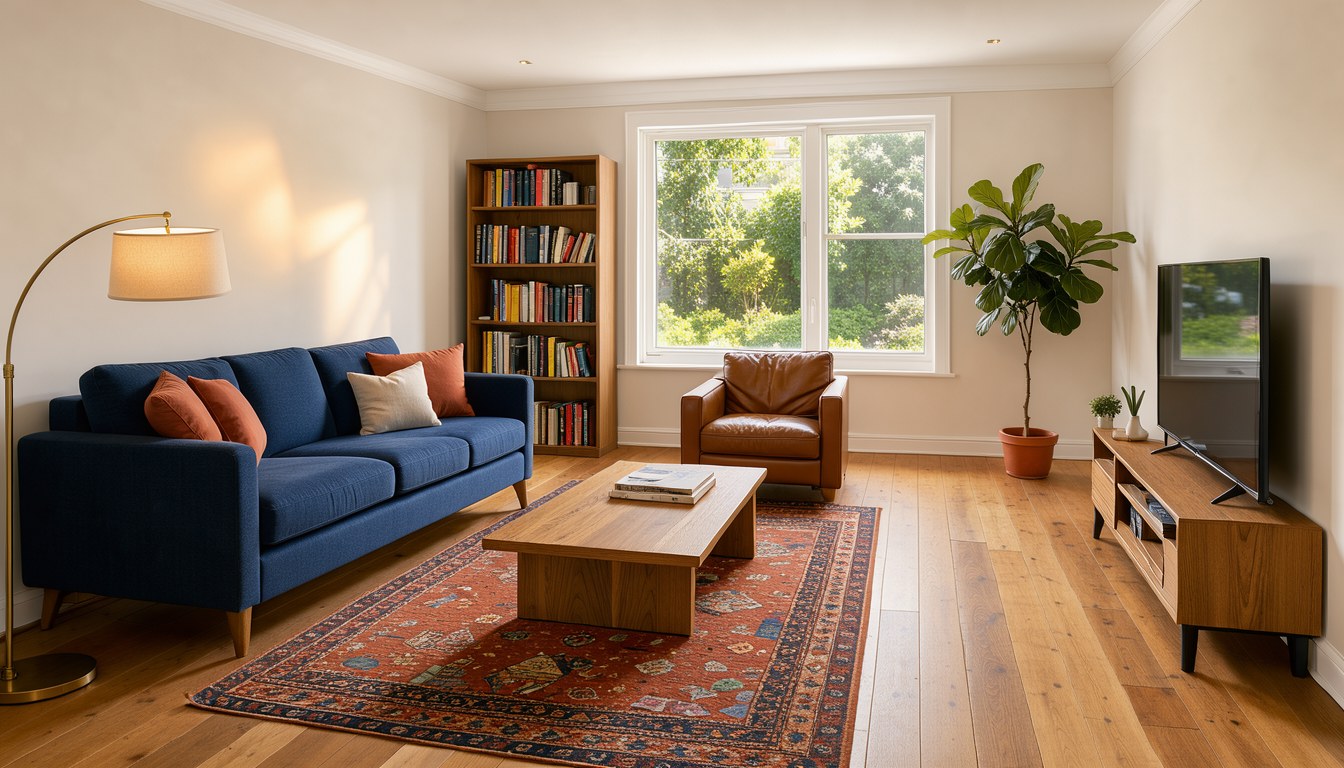
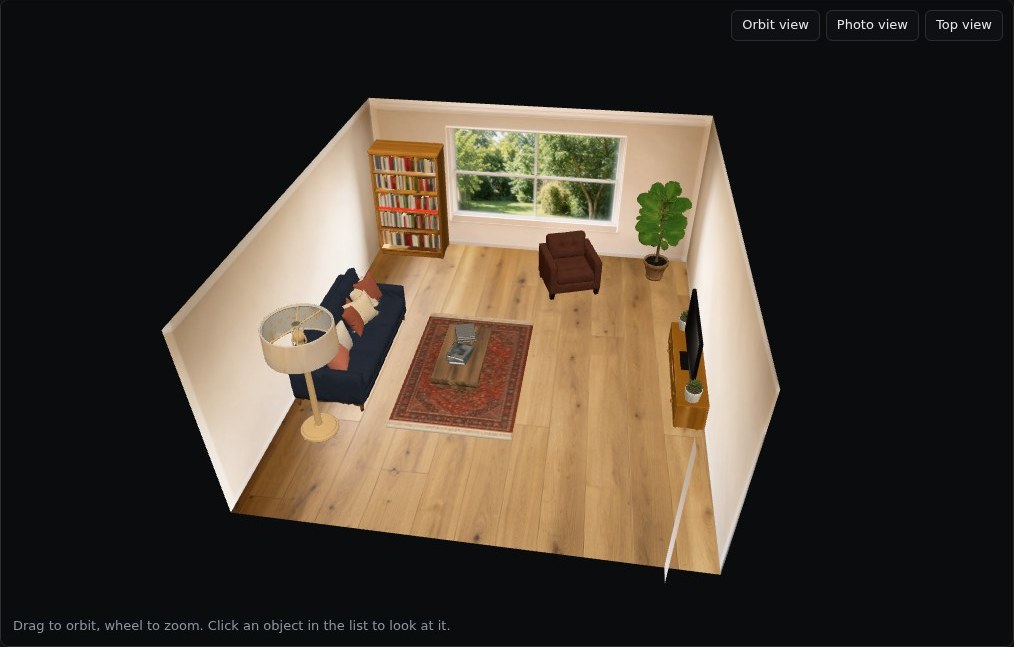
Left: the photo. Right: the 3D room built on 20 November.
| Stage | Machine | Time | How it was timed |
|---|---|---|---|
| 1. List of the objects in the photo | vision model | 1:27 | Typed by hand on 11-20. Timed today: the vision model listed them from the photo. |
| 2. Room size, window and door places | by hand | by hand | Not scripted. A few minutes of typing. |
| 3. Room shell: plain 3D room and its straight-on views | office PC (Blender) | 2:35 | 11-20 log (2:35). |
| 4. Room shell: paint the floor and 4 walls | picture lane (Flux) | about 2:00 | From the 11-20 file times (5 pictures). Not re-run today. |
| 5. Room shell: fold the painted views into one 3D file | office PC | under 0:10 | Timed today. |
| 6. One picture of each object (13 pictures) | picture lane (Flux) | about 3:02 | From 11-20: 22 pictures in 5 minutes, about 14 s each. Not re-run today. |
| 7. 3D model of each object (12 models): shape | worker PC, RTX 5090 | 12:53 | 11-20 log, added up. |
| 8. 3D model of each object: mesh cleaning and texture | worker PC, processor only | 29:45 | 11-20 log, added up. |
| 9. Second model for the 3 that came out melted | worker PC, RTX 5090 | 10:00 | 11-20 log (Hunyuan3D 2.1 for box-shaped furniture). |
| 10. Fit each object to its real size, turn it, place it, write the room file | office PC | about 1:00 + hand work | Scripts take seconds. The positions and turns were typed by hand after looking at check pictures. |
| Whole room, machine time | about 61 min | Sum of the rows above. Steps 7 and 8 overlapped on the day, so the clock time was a little shorter. | |
| Same room with the fast setting (tested today, objects only) | worker PC | about 19 min | Today: 12 models, shape 1:56 + card checks 2:12 + mesh 4:40, model loaded once (1:15). Shell and pictures as above. Estimate for the whole room; the room was not put together again. |
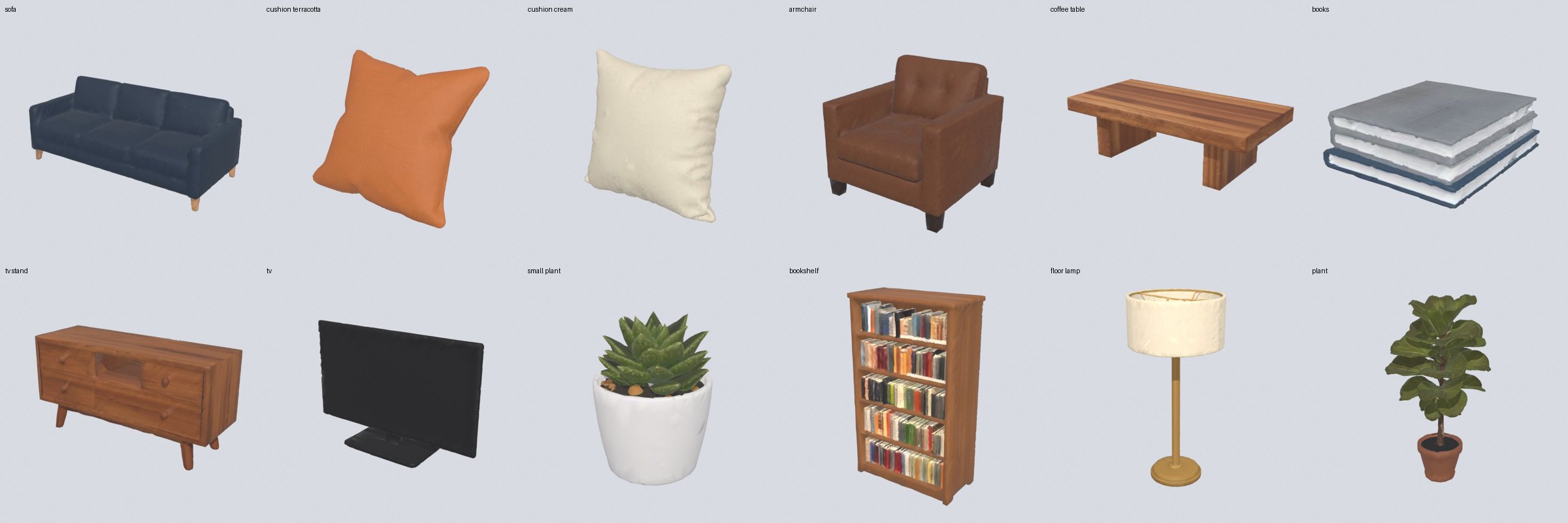
Every object in this room
| Object | Shape | Mesh | Second model | Fast setting today |
|---|---|---|---|---|
| sofa | 0:49 | 1:34 | 0:10 + 0:16 | |
| cushion terracotta | 0:29 | 1:28 | 0:08 + 0:15 | |
| cushion cream | 0:32 | 1:32 | 0:08 + 0:15 | |
| armchair | 2:02 | 3:35 | 0:15 + 0:28 | |
| coffee table | 0:17 | 1:31 | 0:07 + 0:11 | |
| books | 4:19 | 7:31 | 0:16 + 1:10 | |
| tv stand | 0:29 | 1:21 | 3:19 | 0:09 + 0:21 |
| tv | 0:25 | 1:28 | 0:07 + 0:14 | |
| small plant | 1:27 | 3:50 | 0:12 + 0:39 | |
| bookshelf | 1:28 | 3:26 | 3:09 | 0:11 + 0:28 |
| floor lamp | 0:14 | 1:04 | 3:32 | 0:06 + 0:10 |
| plant | 0:23 | 1:25 | 0:07 + 0:14 |
The same objects made today with the fast setting (front view only):
Bathroom: 10 separate objects (9 models made, 2 made twice)
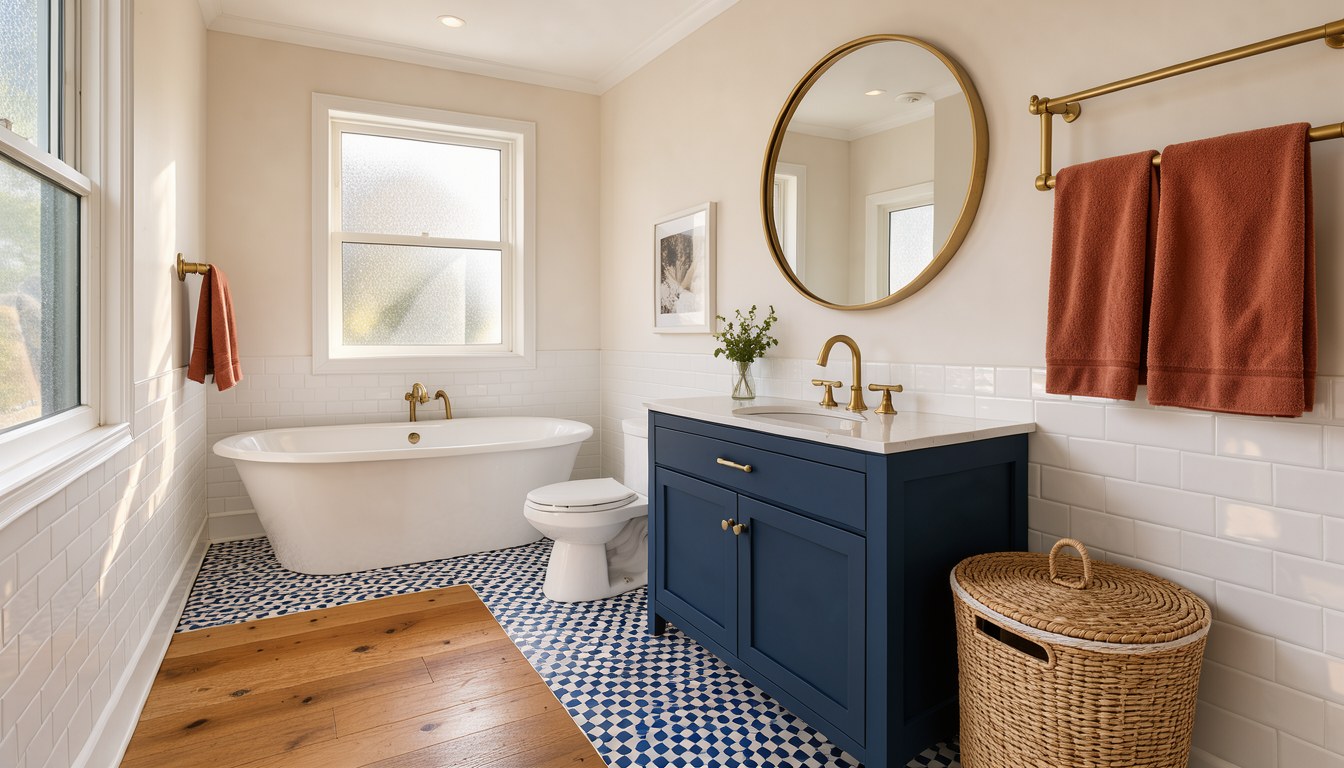
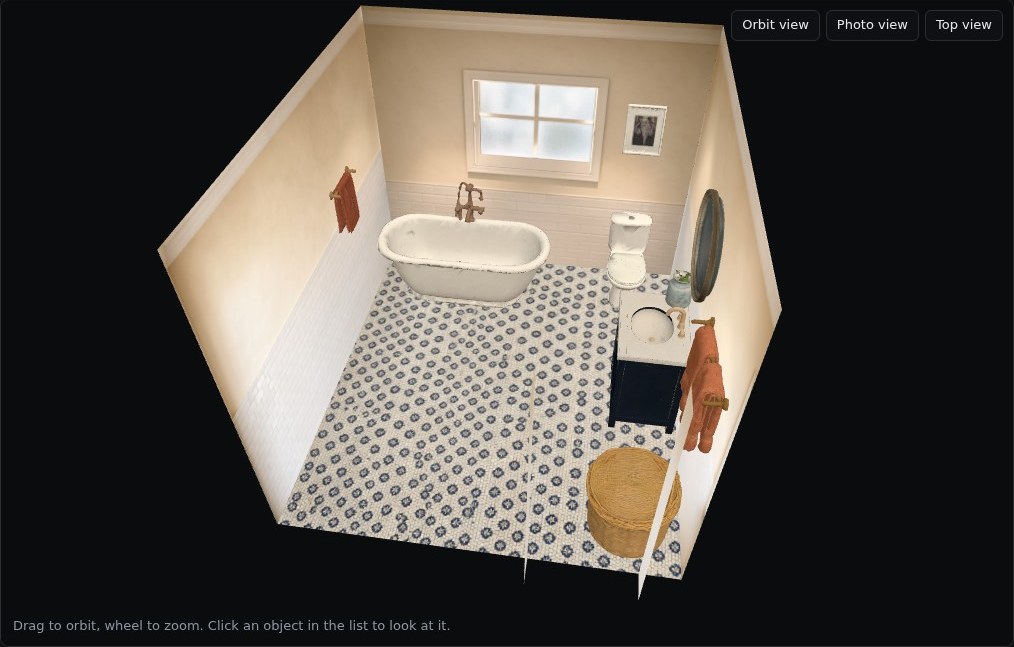
Left: the photo. Right: the 3D room built on 20 November.
| Stage | Machine | Time | How it was timed |
|---|---|---|---|
| 1. List of the objects in the photo | vision model | 0:52 | Typed by hand on 11-20. Timed today: the vision model listed them from the photo. |
| 2. Room size, window and door places | by hand | by hand | Not scripted. A few minutes of typing. |
| 3. Room shell: plain 3D room and its straight-on views | office PC (Blender) | 2:06 | Timed today (2:06). |
| 4. Room shell: paint the floor and 4 walls | picture lane (Flux) | about 2:00 | From the 11-20 file times (5 pictures). Not re-run today. |
| 5. Room shell: fold the painted views into one 3D file | office PC | under 0:10 | Timed today. |
| 6. One picture of each object (10 pictures) | picture lane (Flux) | about 2:20 | From 11-20: 22 pictures in 5 minutes, about 14 s each. Not re-run today. |
| 7. 3D model of each object (9 models): shape | worker PC, RTX 5090 | 9:45 | 11-20 log, added up. |
| 8. 3D model of each object: mesh cleaning and texture | worker PC, processor only | 30:01 | 11-20 log, added up. |
| 9. Second model for the 2 that came out melted | worker PC, RTX 5090 | 13:05 | 11-20 log (Hunyuan3D 2.1 for box-shaped furniture). |
| 10. Fit each object to its real size, turn it, place it, write the room file | office PC | about 1:00 + hand work | Scripts take seconds. The positions and turns were typed by hand after looking at check pictures. |
| Whole room, machine time | about 60 min | Sum of the rows above. Steps 7 and 8 overlapped on the day, so the clock time was a little shorter. | |
| Same room with the fast setting (tested today, objects only) | worker PC | about 17 min | Today: 9 models, shape 1:35 + card checks 1:39 + mesh 4:32, model loaded once (1:15). Shell and pictures as above. Estimate for the whole room; the room was not put together again. |
Every object in this room
| Object | Shape | Mesh | Second model | Fast setting today |
|---|---|---|---|---|
| bathtub | 0:29 | 1:48 | 0:10 + 0:16 | |
| toilet | 1:07 | 3:51 | 0:10 + 0:28 | |
| vanity | 0:51 | 2:30 | 6:44 | 0:12 + 0:26 |
| mirror | 0:30 | 1:18 | 0:07 + 0:15 | |
| towel rack | 1:01 | 3:42 | 0:09 + 0:35 | |
| laundry basket | 2:48 | 8:06 | 6:21 | 0:15 + 1:11 |
| framed picture | 0:32 | 1:58 | 0:07 + 0:21 | |
| towel ring | 1:04 | 3:21 | 0:11 + 0:33 | |
| vase | 1:23 | 3:26 | 0:13 + 0:26 |
The same objects made today with the fast setting (front view only):
What is scripted and what is not
| Step | Today |
|---|---|
| Photo to list of objects | Typed by hand on 11-20. Today the vision model did it from the photo in 0:52 to 1:27 and found the same things (15 in the living room, 9 in the bathroom). Not connected to anything yet. |
| Room size, windows, doors | Typed by hand. Not scripted. |
| Room shell (build, paint, fold) | Scripted. The words for the floor and walls were typed by hand for each room. |
| One picture per object | Scripted. The description of each object was typed by hand. |
| 3D model per object | Scripted as one batch for the whole list, started by hand. This batch keeps the model loaded, which is why a room object took about 3 minutes and not 5 and a half. |
| Finding the melted ones and making them again | By eye, then a second batch by hand. 11 of the 38 objects in the three rooms needed it. |
| Real size, turn, position in the room | Scripts for size. Turn and position were typed by hand for each room. |
| Rug, bath mat, TV | Small hand-made scripts (flat or box shapes with the picture on them). |
4. What the site can honestly say
- One object today: "about 5 to 6 minutes". Measured 4:06 to 7:10, average 5:34, five out of five finished. "About 3 minutes" is not true today.
- When someone is ahead in line: add about five and a half minutes for each. The page already shows how many are ahead.
- When the graphics card is busy with other work the picture step waits. In this test it waited up to 3 minutes (the bike).
- With the model kept loaded and the quicker mesh step, "about 2 minutes" would be honest for one object. That is an estimate from the tested parts, not a live measurement.
- A room today: about 1 hour of machine time for 10 to 15 objects, plus hand work. Not a member tool yet.
- A room with the fast setting: about 15 to 20 minutes of machine time looks realistic (estimate). It still needs the builder that joins the steps.
Not checked
- No model was opened in a 3D viewer in a browser. The result pictures were drawn with Blender on the office PC from the downloaded GLB files, with a matt look, so shine does not show.
- The OBJ and STL downloads were made and uploaded (sizes are in the logs) but not opened.
- The fast settings ran once each on these 5 pictures and on 21 room objects. The room objects were looked at from the front only.
- The two rooms were not put together again with the fast objects. Their stage times are from the 20 November logs.
- The object pictures and the shell paint were not re-run today (their times are from 20 November).
- Running a room's objects on several graphics cards at once was not tested. The model is installed on one PC only.
- More than two jobs in line at once was not tested.